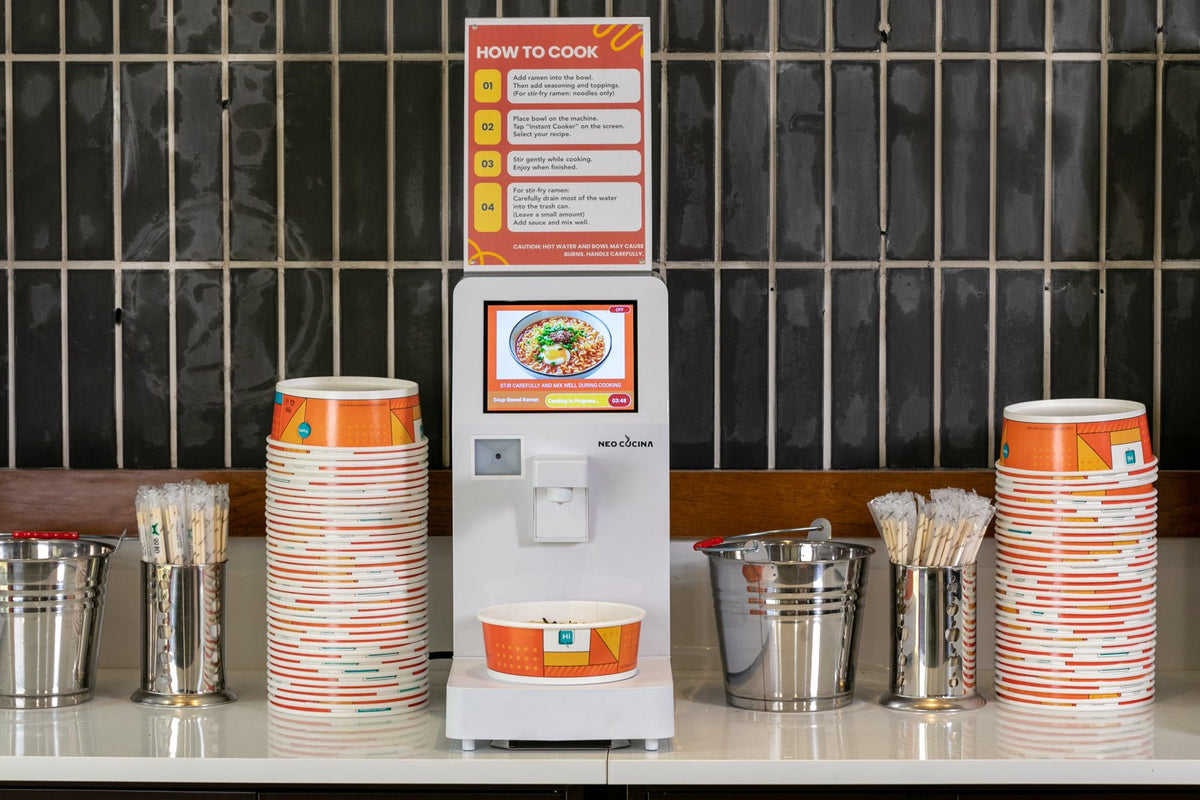
A self-serve ramen station reduces cooking steps, but it does not run itself. A written daily SOP prevents empty shelves, unclear instructions, spills, expired products, water problems, and support issues from becoming customer problems.
Assign every task to a person or shift. A checklist with no owner will not be completed consistently.
Opening Checklist
- Inspect the machine, counter, cord, water connection, and heating area
- Confirm the unit powers on and the correct menu is visible
- Check the external water jug or direct line and look for leaks (Studio: check the tank level)
- Verify bowls, lids, utensils, napkins, and condiments are stocked
- Check food packaging, dates, and required storage temperatures
- Run a test program when needed and confirm customer instructions are visible
- Remove waste and make sure the disposal area is ready
During Service
- Refill fast-moving products before they sell out
- Wipe spills promptly and keep the induction area clear
- Help first-time users without taking the bowl away during cooking
- Watch for damaged bowls, unsuitable cookware, or repeated scan errors
- Keep toppings and open condiments within their required handling conditions
- Record unusual noise, heating, water, network, or screen behavior
Inventory Control
Set a minimum stock level for every food SKU, bowl, and lid. Reorder points should include supplier lead time and expected demand, not only yesterday's sales.
- Count high-value or fast-moving products daily
- Rotate stock by date and remove damaged packages
- Compare scan or cooking activity with POS and physical counts
- Track waste separately from sales
- Avoid adding too many slow-moving SKUs at launch
Closing Checklist
- Remove spills and wipe the machine exterior and counter
- Clean the heating area only after it has cooled
- Empty waste and manage leftover broth according to the site's procedure
- Secure food and toppings in the correct storage
- Check water, bowls, lids, and opening stock for the next shift
- Record errors, low stock, customer feedback, and maintenance needs
Water and Preventive Maintenance
Water quality affects mineral buildup. Follow the current instructions for your model and local water conditions. Before using an on-screen descaling function for the first time, contact Support with your device number.
- Keep the water source, jug, or tank clean
- Inspect filters and tubing when the source water is poor
- Use the current manual descaling instructions when required
- Do not exceed the stated input-water temperature limit
When Something Goes Wrong
- Stop using the unit if there is a safety concern, leak, damaged cord, or abnormal heating.
- Record the device number and exact step where the issue occurred.
- Take a short video or photo when useful.
- Confirm power, water, and, for the Pro, 2.4 GHz Wi-Fi status.
- Contact Support before disassembling or modifying the machine.
Supplies and Support
See the induction-safe bowls, matching lids, water and descaling guide, and Support page.
Print this checklist, assign owners, and adapt it to your menu, location, and local food-service requirements.
Share:
Hard Water, Descaling, and Water Quality for Ramen Station Operators
What Your Ramen Station Dashboard Data Can Tell You