
The best commercial ramen machine is not simply the one with the most features. It is the one that fits the menu, customer workflow, power, water, containers, support needs, and operating responsibility of the location. To see how shops, cafés and offices set one up, see how businesses run a ramen machine.
1. Confirm the Cooking Method
Separate equipment that only dispenses hot water from equipment that actively cooks with induction or another heat source. Products designed for boiling can taste and feel different when they are only soaked.
2. Check Power and Placement
NEO CUCINA Pro can draw up to 1,350 W during operation. Confirm the circuit, counter stability, cord routing, customer clearance, and surrounding equipment before purchase. If you plan to run several machines, have an electrician check your circuits.
3. Choose the Water Setup
Confirm whether the location will use an external water container or a direct water line, what fittings are required, who refills or inspects the water, and whether local plumbing review applies. Pro uses a 1/4-inch connection and the recommended maximum input-water temperature is 70°C / 158°F.
4. Verify Network Requirements
NEO CUCINA Pro uses 2.4 GHz Wi-Fi for connected menu management, updates, device visibility, and remote support. A site with restrictive guest Wi-Fi may need a network plan before installation.
5. Test Containers and Menu Items
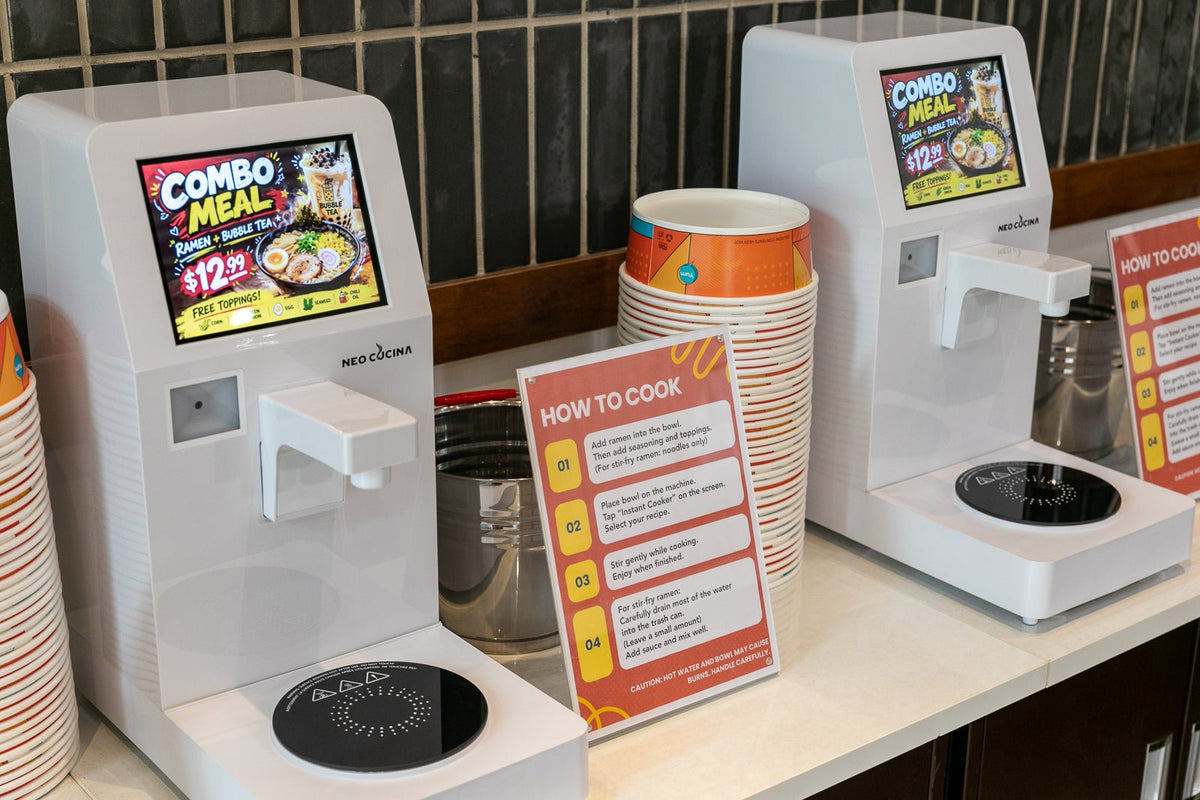
Automatic induction cooking needs induction-ready cookware. Any induction-compatible bowl or pot with a flat base about 12 to 20 cm (5 to 8 in) across works on both Pro and Studio. NEO CUCINA also offers an approximately 42 oz induction-safe paper bowl for no-wash service. Test every product, portion, and program before commercial use.
6. Compare Customer Workflow
- Touchscreen selection or scan-based cooking
- Configurable one-touch buttons
- Payment through your existing POS, or the Pro's optional pay-at-the-machine feature in the US
- Customer instructions and bowl placement
- Cooking time, queuing, and waste flow
7. Compare Pro and Studio
| Feature | NEO CUCINA Pro | NEO CUCINA Studio |
|---|---|---|
| Price | $695, down to $595 each at five or more | $299 |
| Interface | 8-inch touchscreen | Three configurable cooking buttons |
| Scan-based menu | Supported | Not the primary workflow |
| Connected management | Designed for connected commercial operation | Simpler local control |
| Hot water | Yes | Yes, with presets |
| Warranty | One year | Two years |
| Best fit | Customer-facing menus, multiple SKUs, connected locations | Simpler operation and lower entry cost |
For a full side-by-side, see NEO CUCINA Pro vs. Studio.
8. Evaluate Support and Warranty
NEO CUCINA Pro includes a one-year warranty, and NEO CUCINA Studio includes a two-year warranty. Support starts with remote troubleshooting. If a confirmed fault cannot be fixed remotely, we replace the whole machine, and technical support continues after the warranty ends. Before buying from any supplier, ask how it handles network issues, software updates, shipping damage, and faults after the warranty period. See how NEO CUCINA support works.
9. Budget Beyond the Machine
NEO CUCINA Pro is $695 for one, $670 each for two, $645 each for three, $620 each for four, and $595 each for five or more. NEO CUCINA Studio is $299. Also plan for:
- Counter or cart
- Electrical or water work
- Opening food inventory
- Bowls, lids, utensils, and toppings
- Payment hardware and signage
- Storage, cleaning, waste, and restocking labor
View NEO CUCINA Pro, NEO CUCINA Studio, or contact us to talk through fit for your location.
Share:
What Is a Smart Ramen Cooker? A Practical Guide for Businesses
How Boba Shops Can Add Hot Food with a Self-Serve Ramen Station